
From drawing to finished part: design, draw, print and mill
DLcad3D is our parametric 3D CAD: you design the part with sketches and dimensions, put it into assemblies, make its technical drawing and prepare it for 3D printing or milling. Interface and manual in Italian.
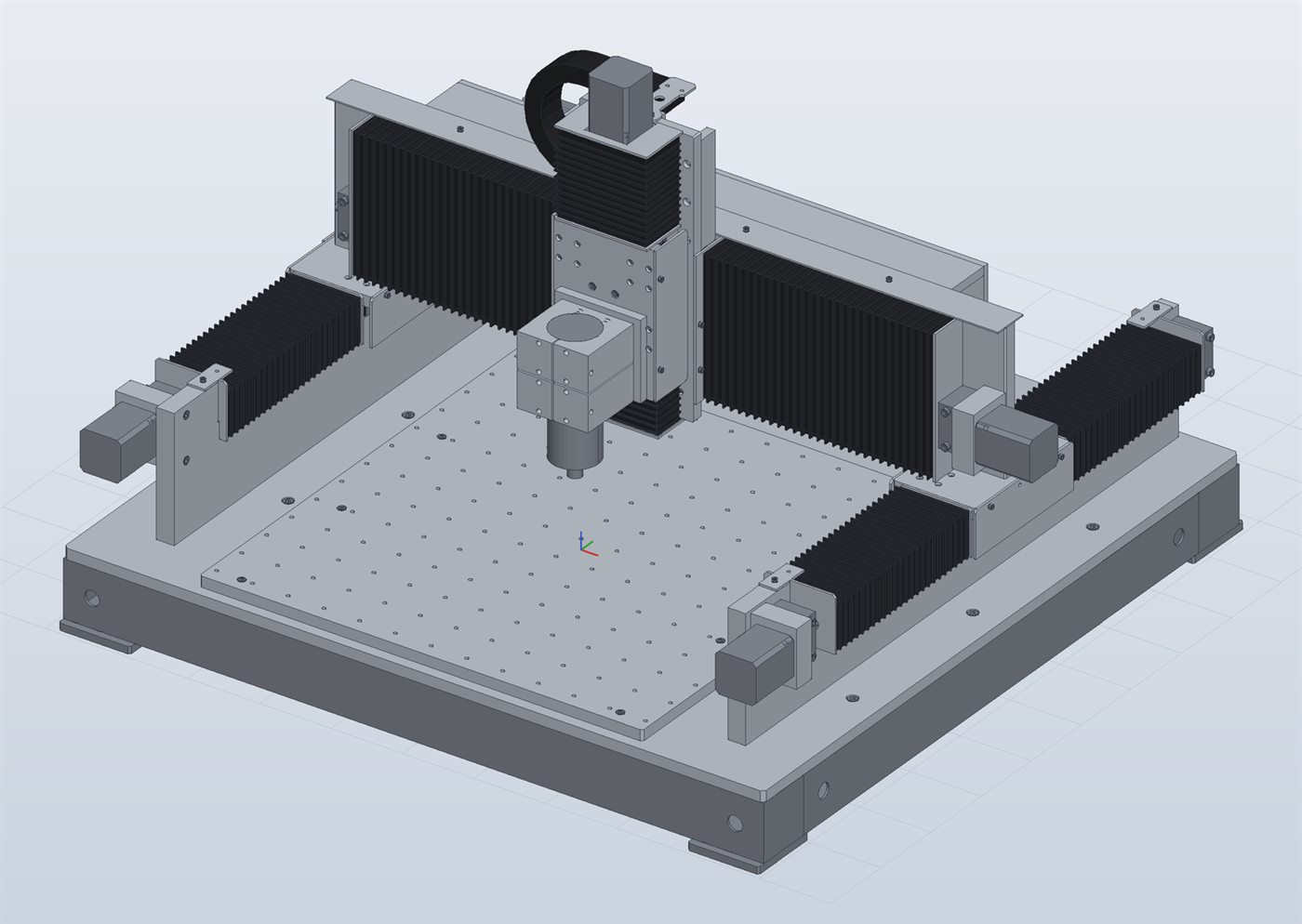
You don't draw the part: you give the instructions to build it
The instructions use named dimensions, the parameters. Change a parameter and the program redoes every step by itself: the sketch, the 3D part, the tool paths and the G-code.
Sketches are made of points, lines, arcs and circles fixed by geometric constraints and dimensions, as in professional CAD; dimensions can be formulas with parameters, e.g. L/2.
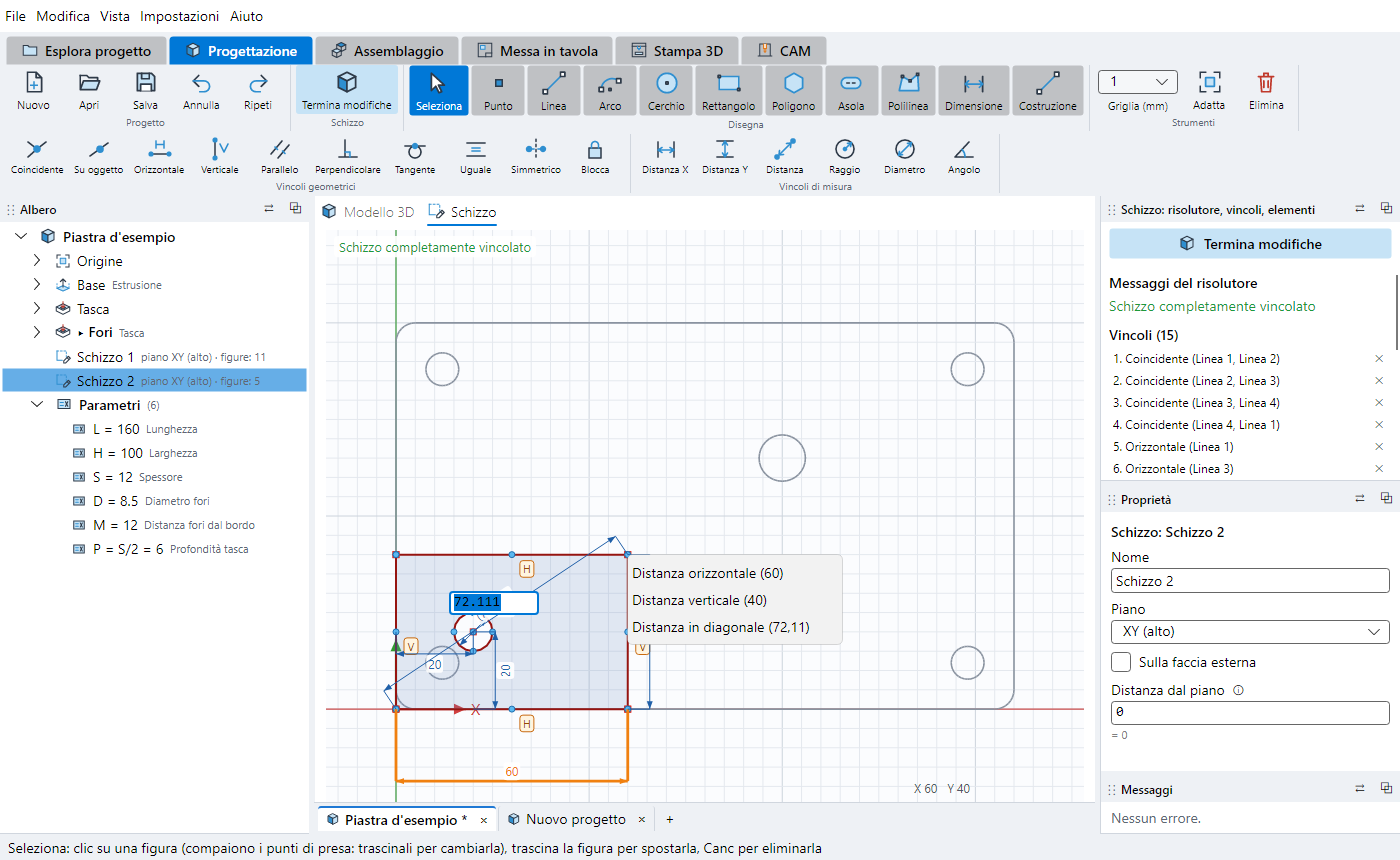
Every job has its own tab and its own file
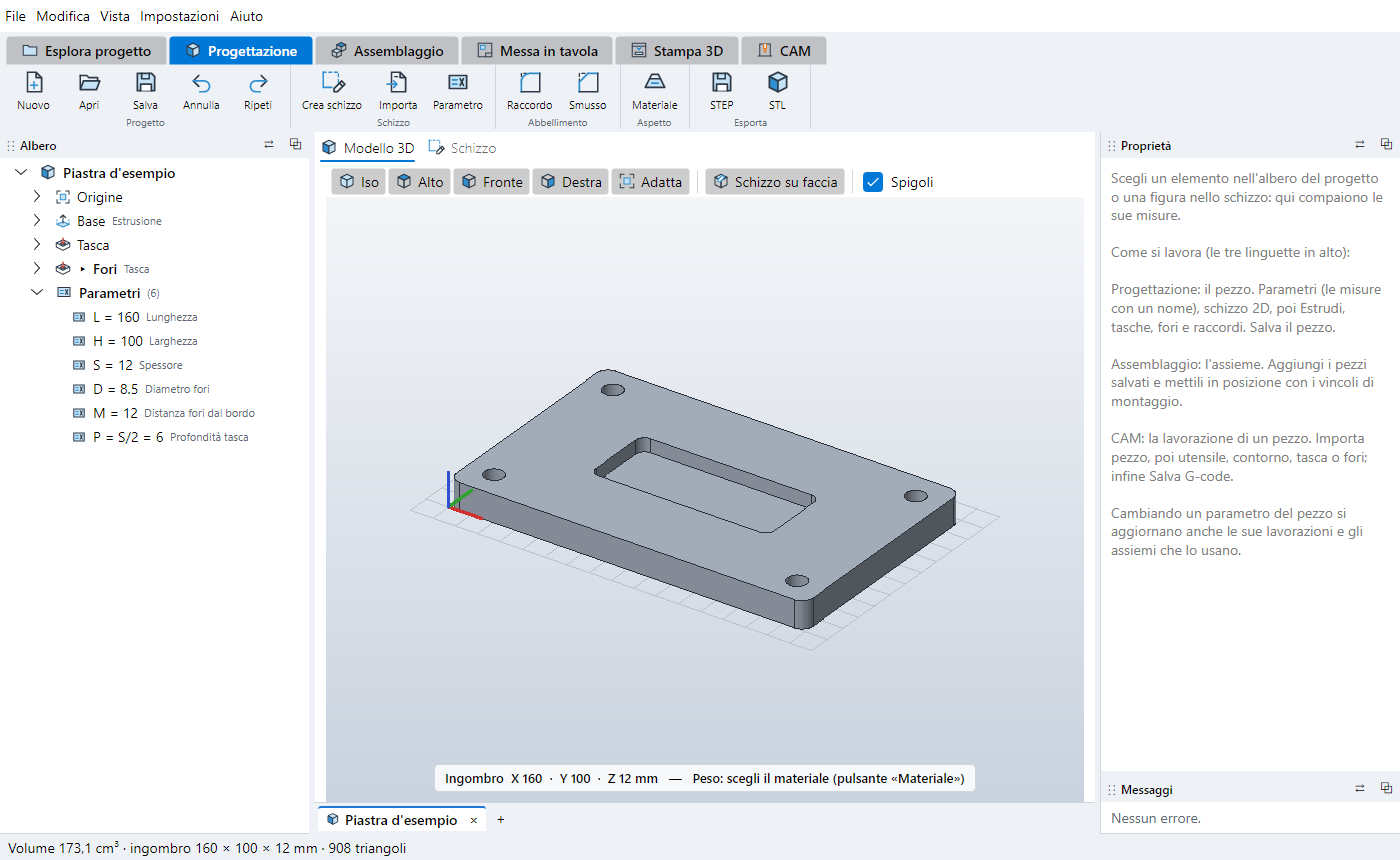
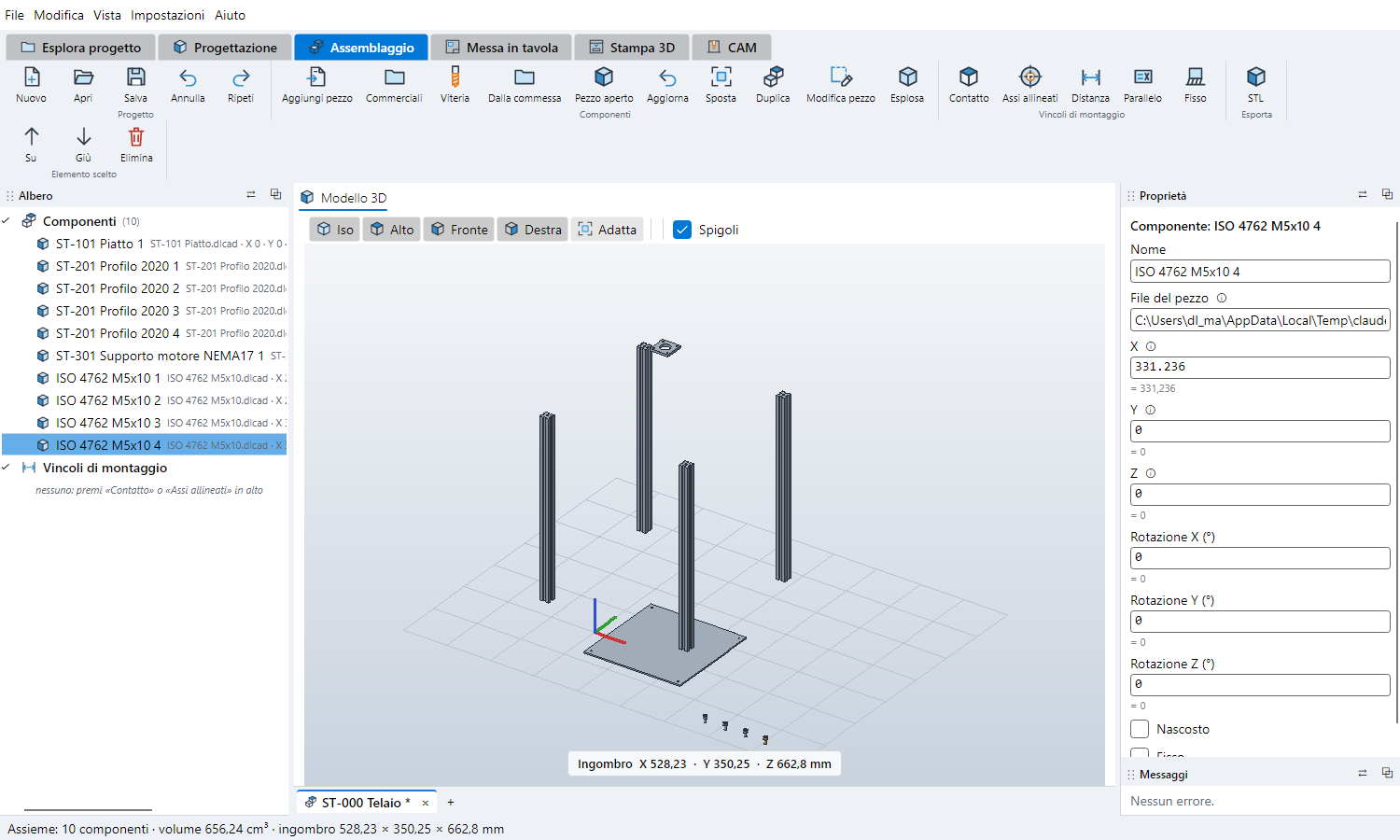
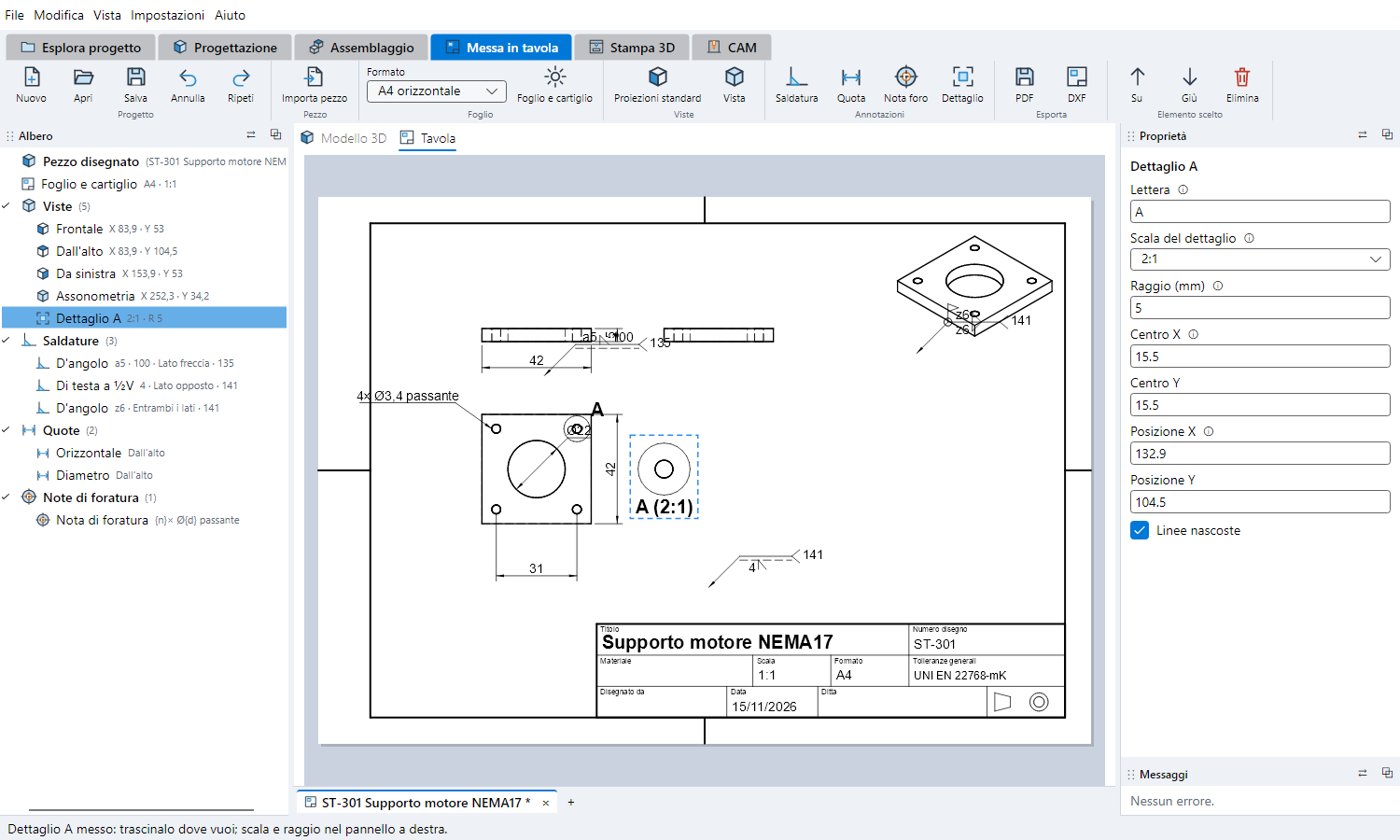
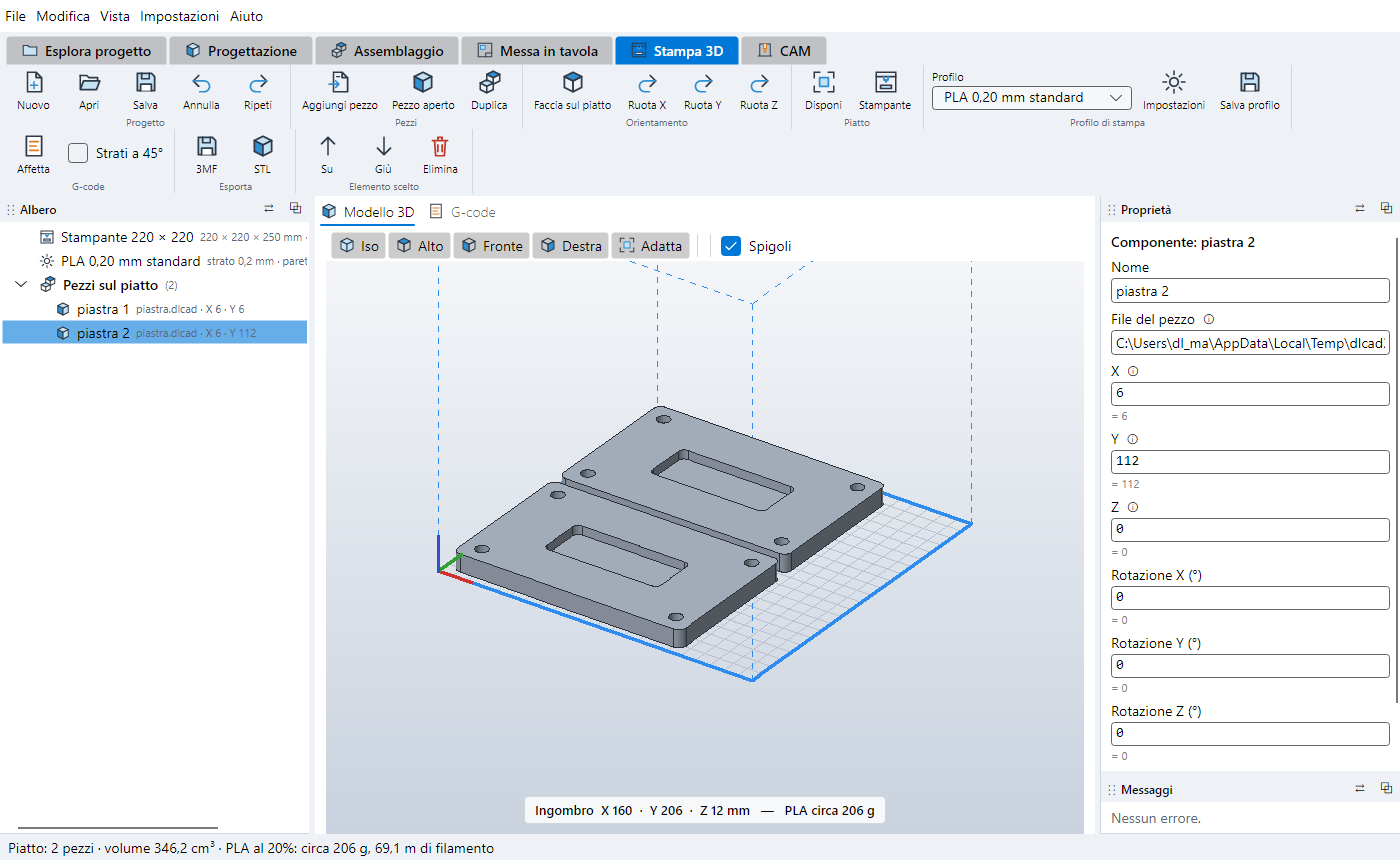
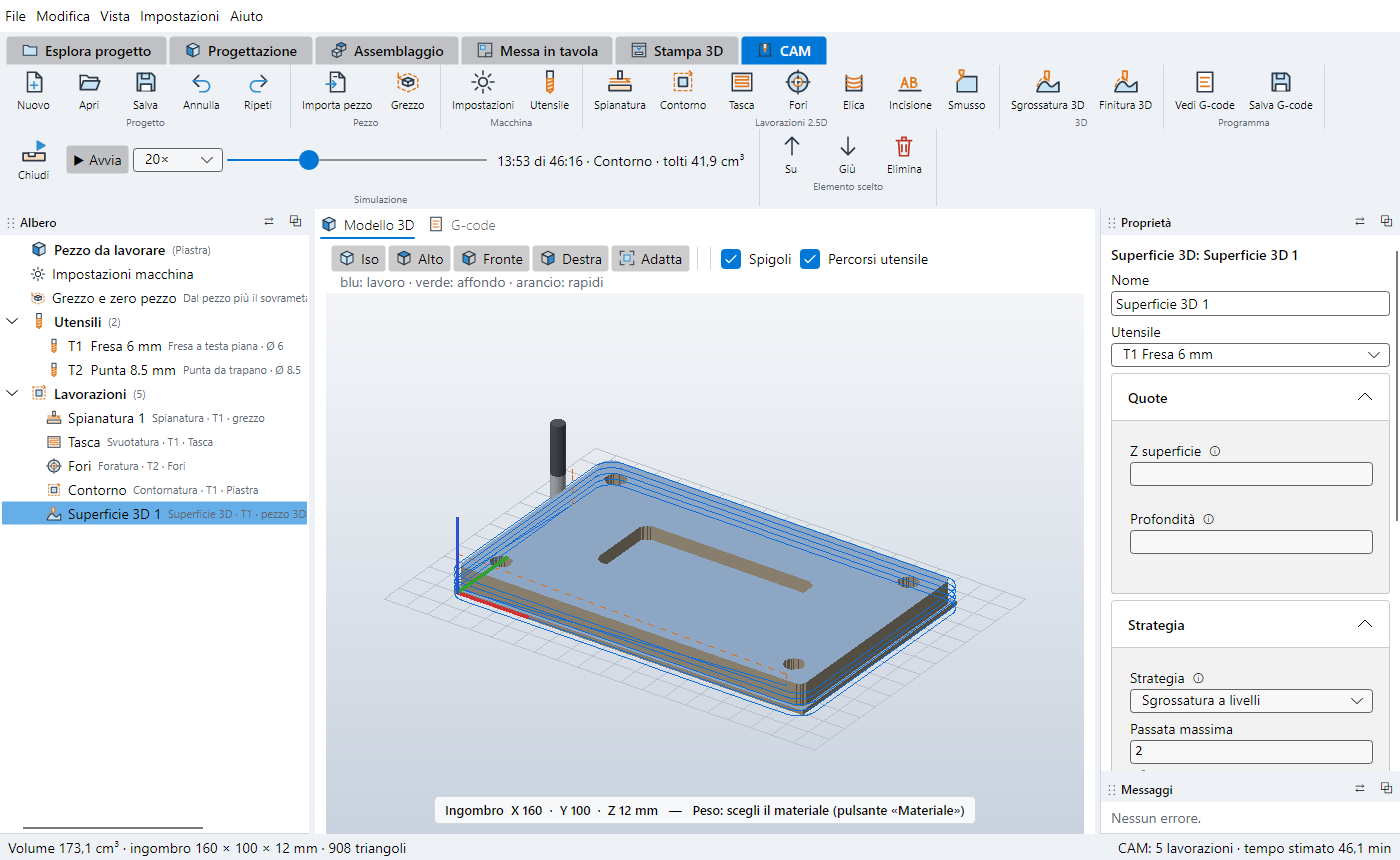
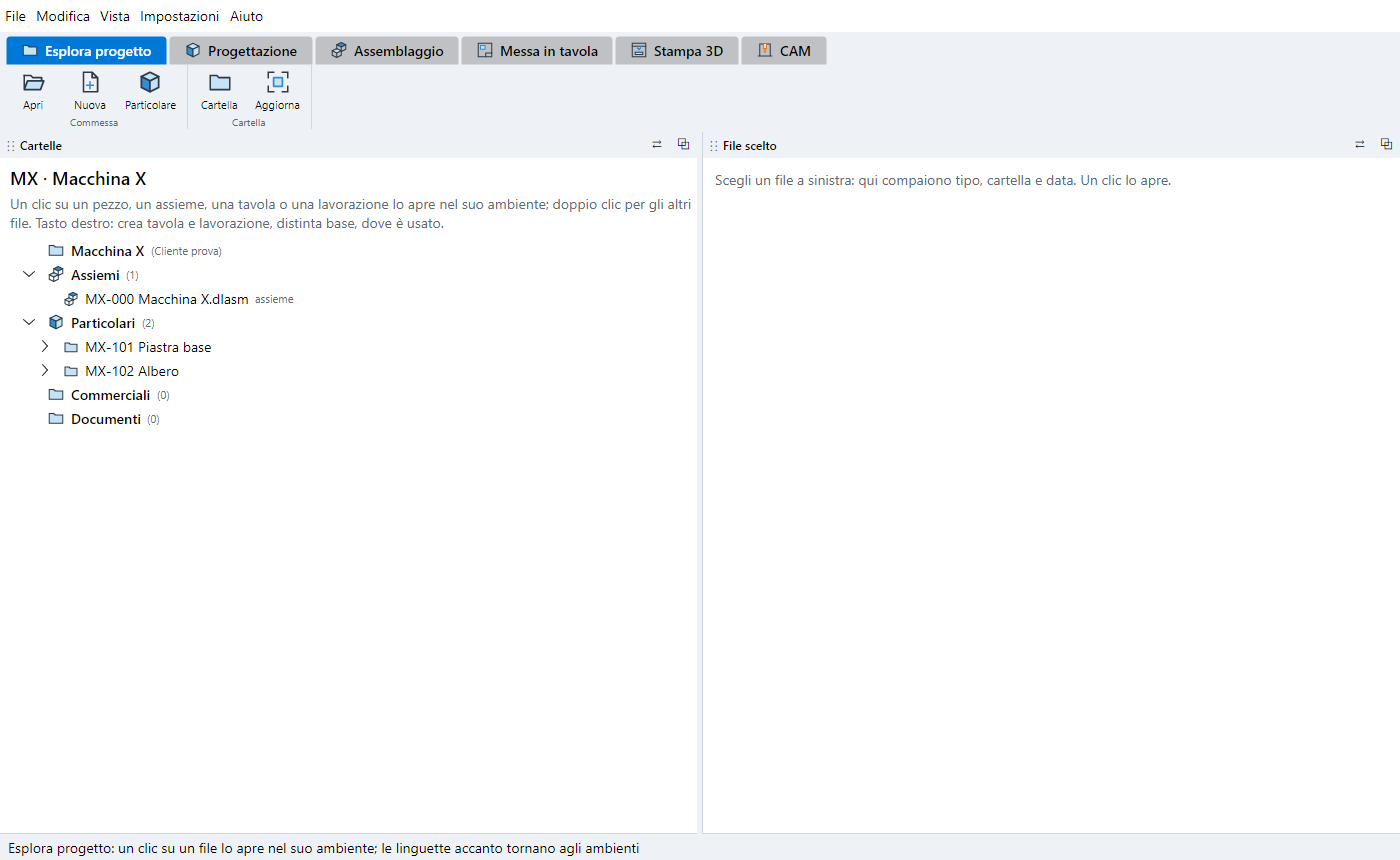
Our CNC milling machine, built in 5 days
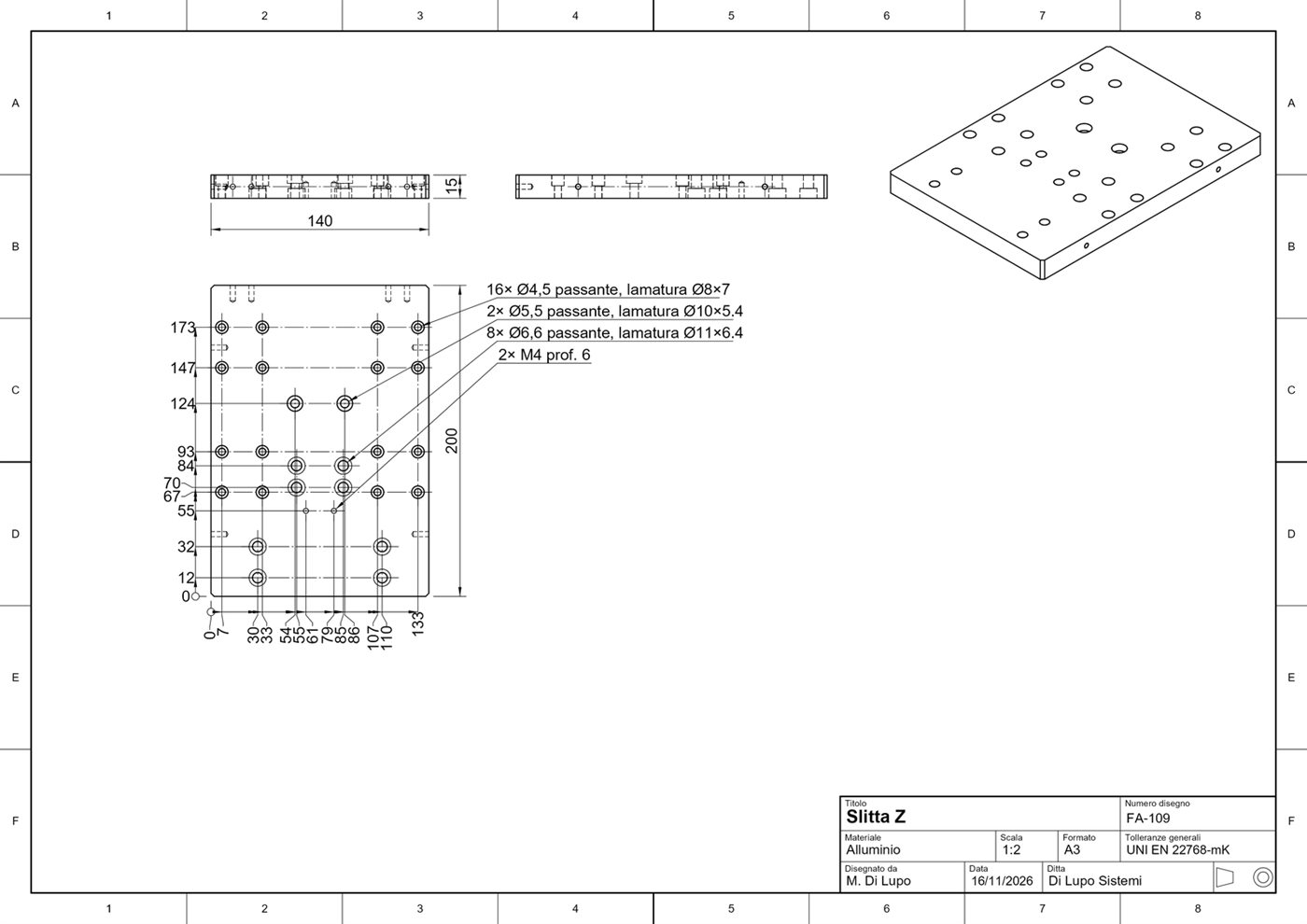
To put DLcad3D to the test on a real project, we designed and built a gantry CNC milling machine for aluminium. From the first sketch to the complete assembly, with the exploded view and the drawings of the parts to machine, it took 5 days.
The credit goes to our software, used together with the help of artificial intelligence: DLcad3D to model and draw, AI to speed up calculations, checks and documentation.
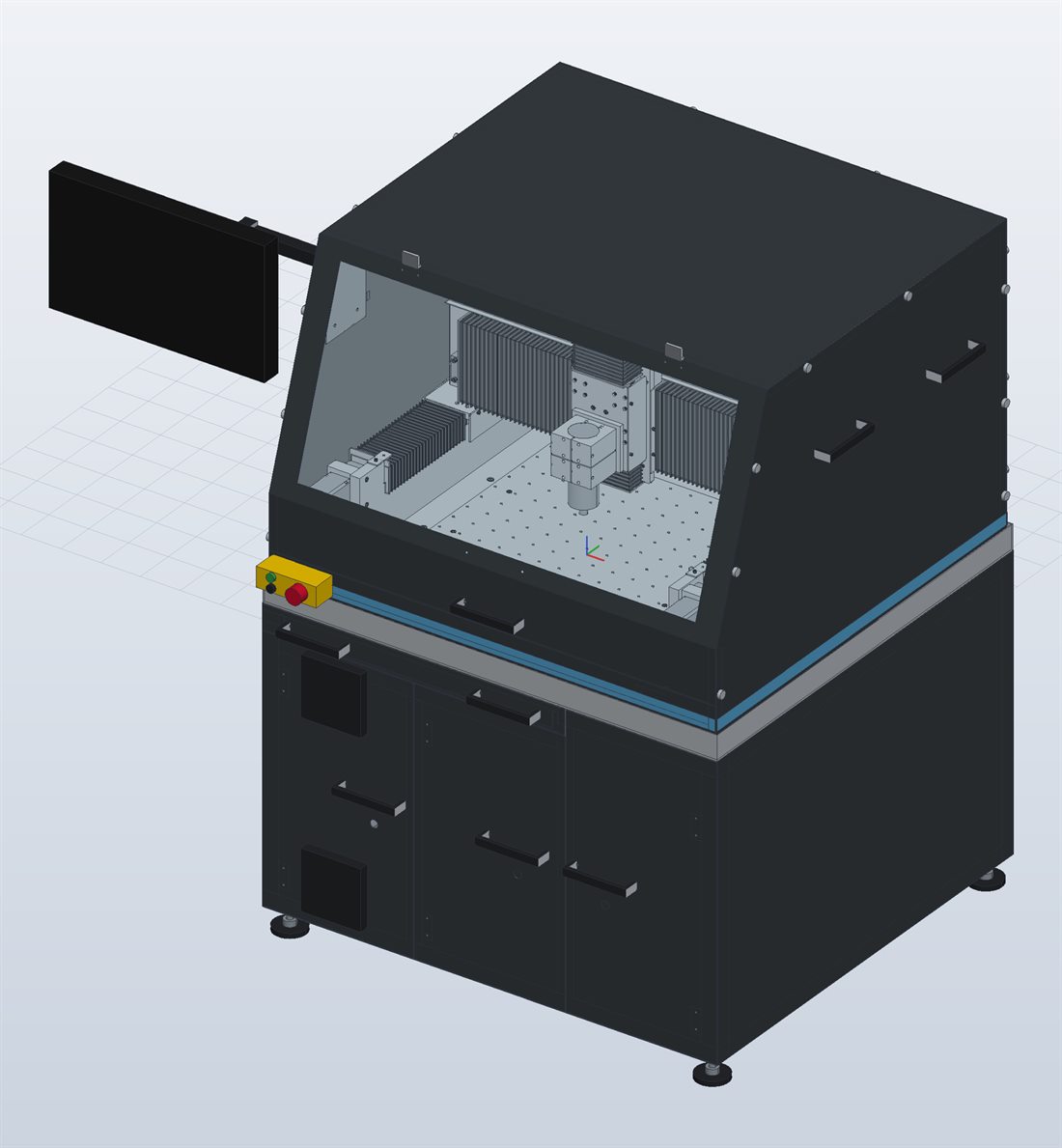
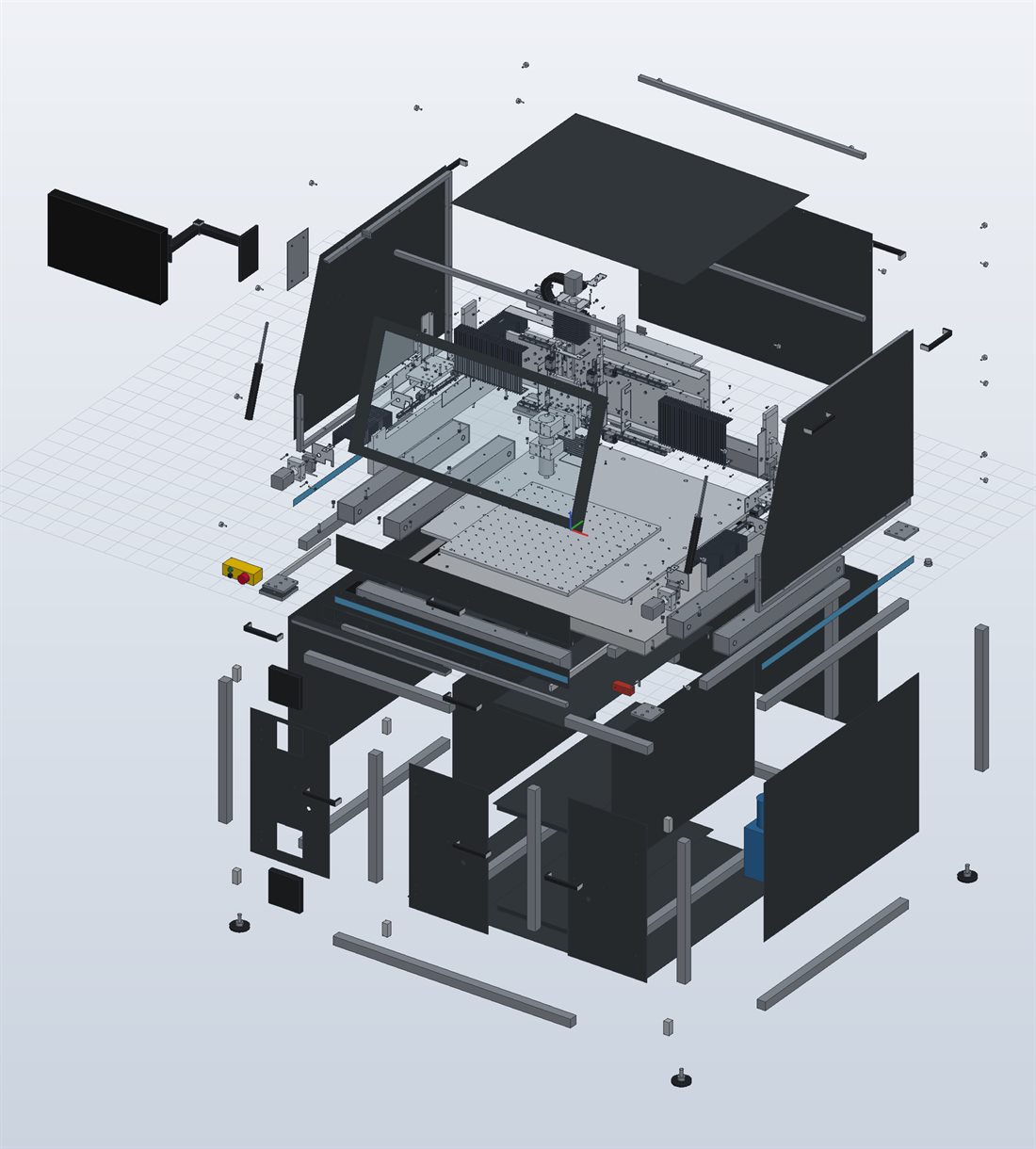
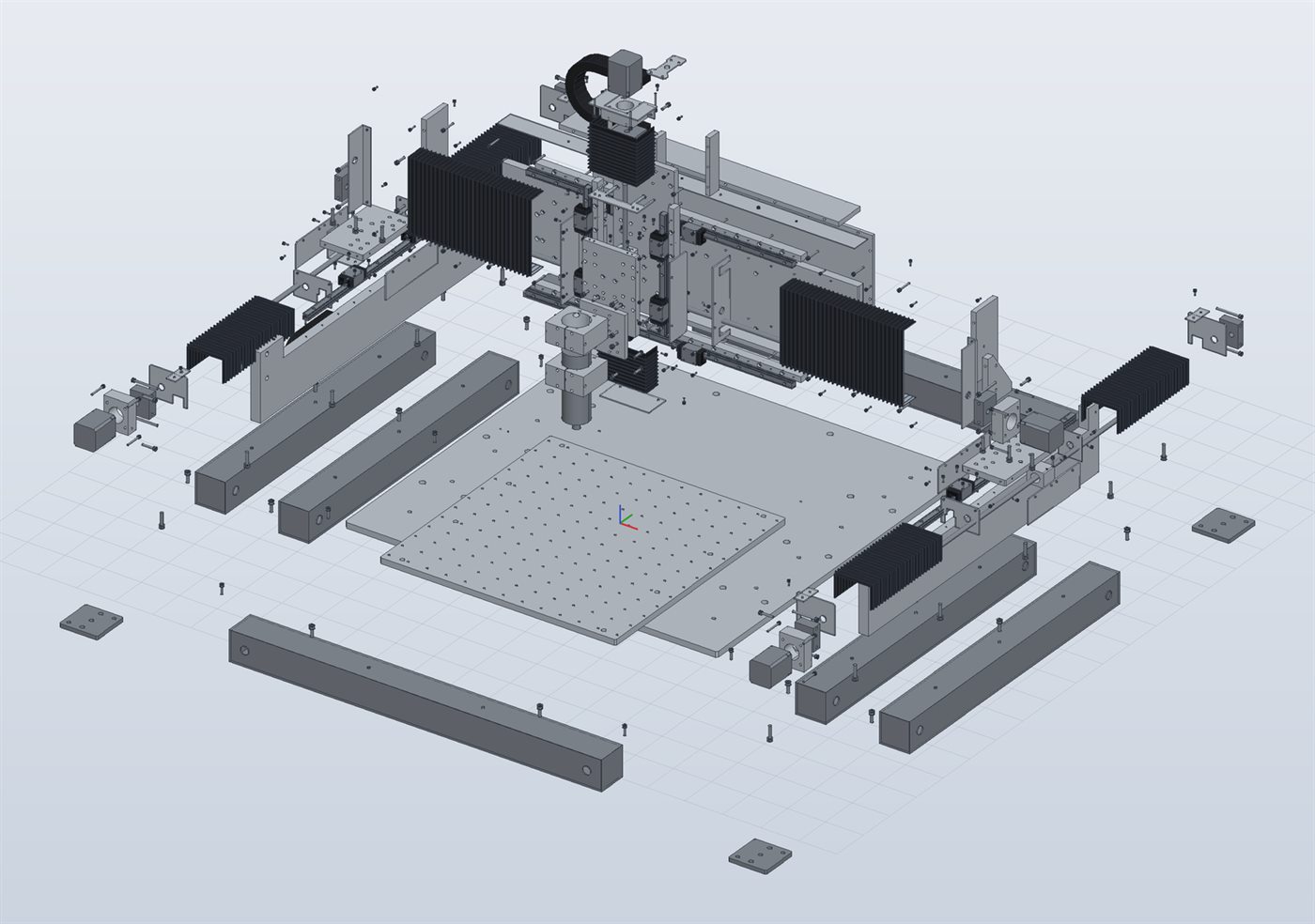
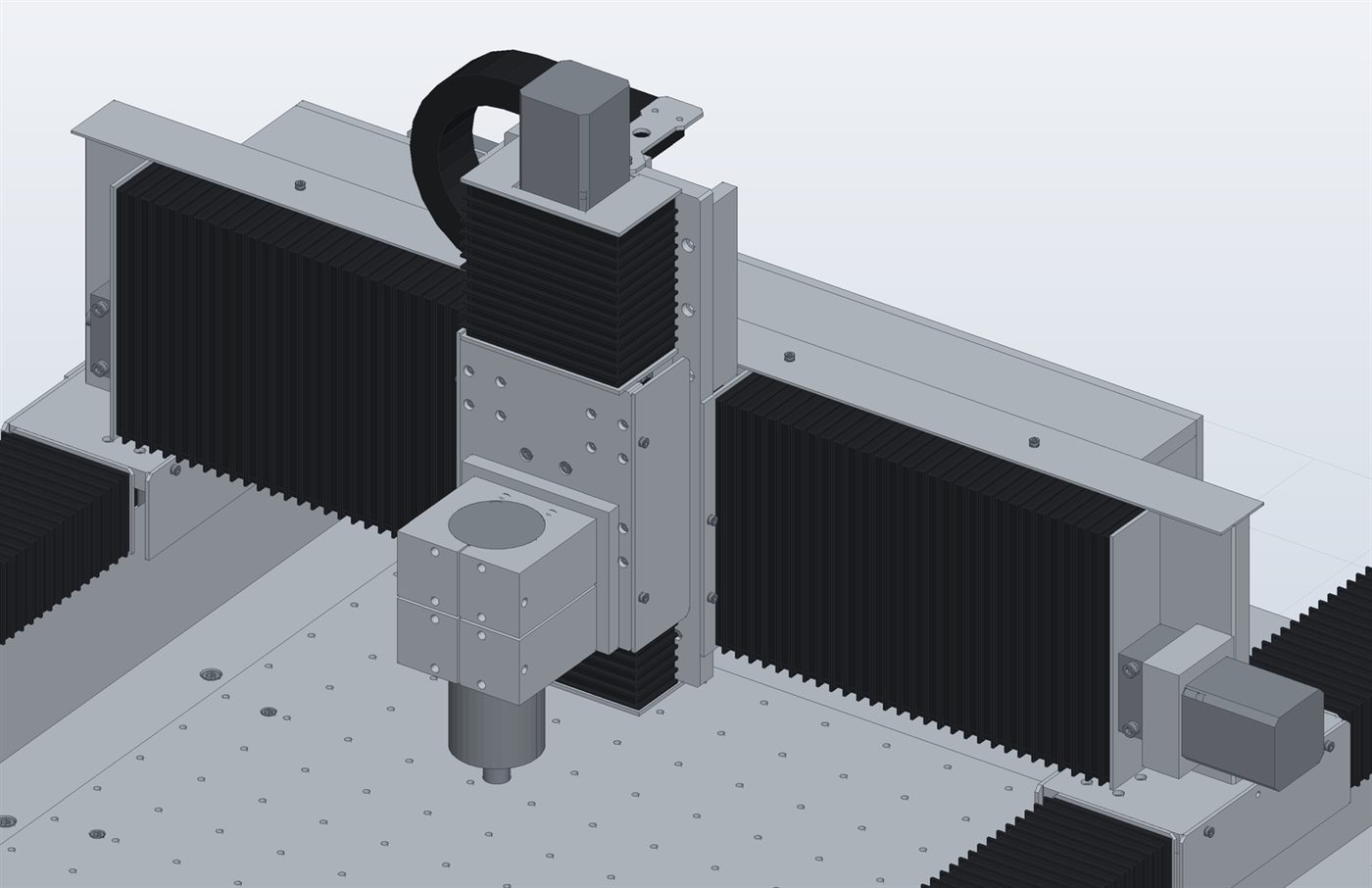
The machine is our own demonstration prototype, built for internal use: it is not a product for sale.
What it can do
Constrained sketches
Rectangles, polygons, slots, dimensions and constraints; the solver keeps everything in place.
Parametric solids
Extrusion, revolution, pocket, groove, threaded, counterbored or countersunk holes, linear and polar patterns, chamfers.
Materials and weight
Aluminium, steel, brass, stainless steel: part weight, face colours, transparency for polycarbonate and glass.
Export
STEP for other CAD, STL for printing, PDF and DXF for drawings; imports DXF and DWG.
CNC milling
Facing, contour, pockets including trochoidal, holes with canned cycles, simulation; G-code for LinuxCNC, Mach3, Fanuc, GRBL.
3D printing
Bed layout, filament estimate, 3MF and STL for the slicer or direct G-code.
Free, on request
Write to us
Tell us briefly what you design and what you need it for.
We send you the program
You receive the download link.
Start it
Copy the folder and open DLcad3D.exe: nothing to install.
Your email program opens with a ready-made message. Alternatively write to diluposistemi@gmail.com
Documents
- www DLcad3D user manual (Italian)Online, with screenshots Read online
- pdf DLcad3D brochure (Italian)2 pages · PDF · 780 KB Download
DLcad3D is intended for hobby and personal projects: it is not a professional design tool and is not certified for designing machines, installations or parts intended for sale or subject to safety standards. It is provided free of charge as is, without warranty of any kind; to the extent permitted by law, Di Lupo Sistemi is not liable for damage to people, machines, tools or materials arising from its use. Users are responsible for checking dimensions, drawings and G-code (tools, speeds), doing the first run in the air or on scrap material, and working with their machine's guards in place.